Trucking dispatch software that does the thinking for you
A broker's rate con becomes a drafted load you just check and dispatch. Trucks show up on one live map. Out-of-route and detention flag themselves. You dispatch the exceptions, not the whole board.
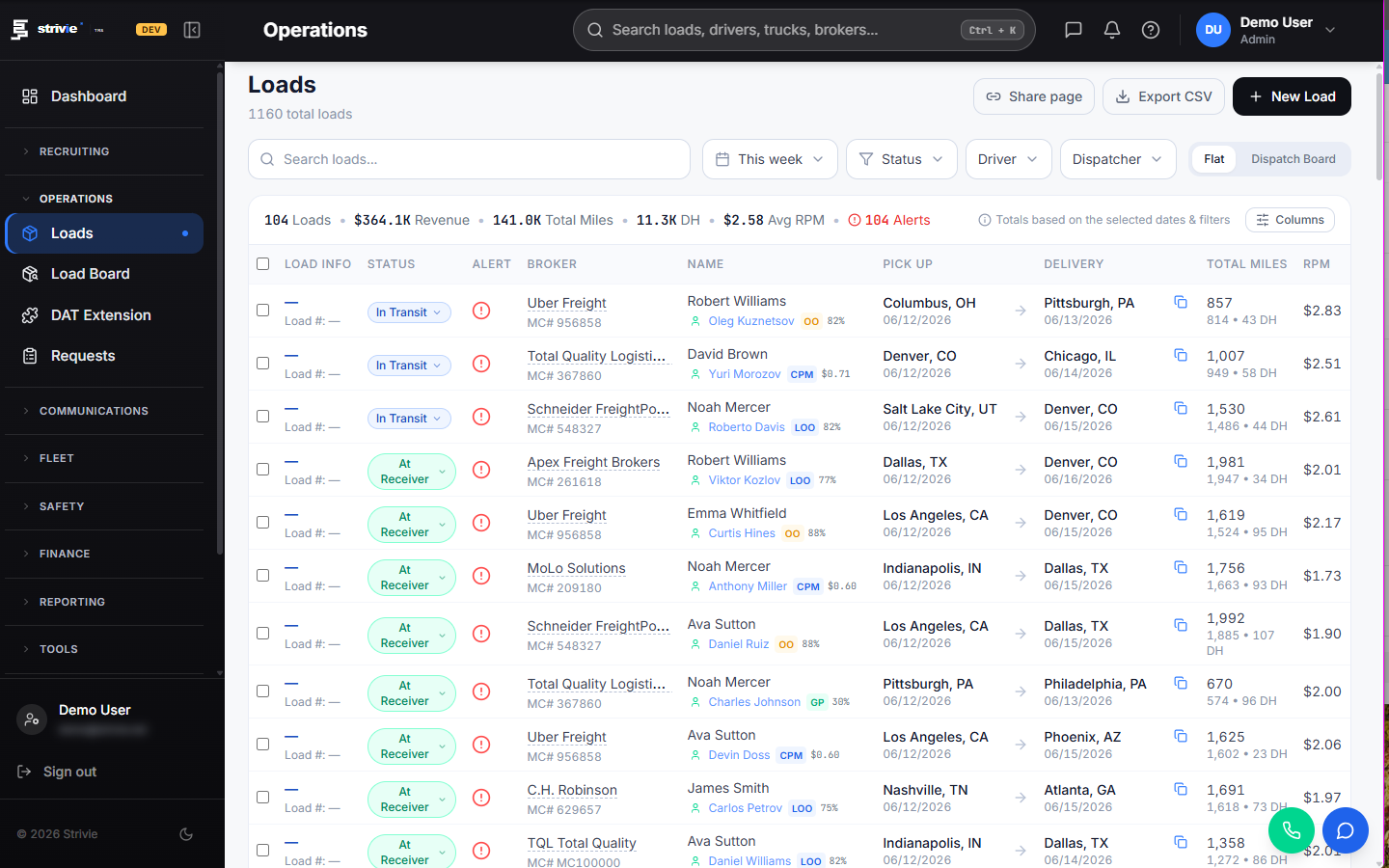
Rate confirmations become loads on their own
A broker emails a rate con. Strivie reads it and drafts the load with the broker, stops, rate, and reference number already filled in. You check it and dispatch — no retyping a rate confirmation into a dispatch board at 6am.
- Reads rate confirmations from any broker and drafts the load automatically
- Broker, pickup and delivery stops, rate, and reference number pre-filled
- You review the draft and dispatch, then the load carries through to delivery
- POD scans auto-crop to the page and convert to black-and-white in the billing workspace
One live map, any ELD or GPS provider
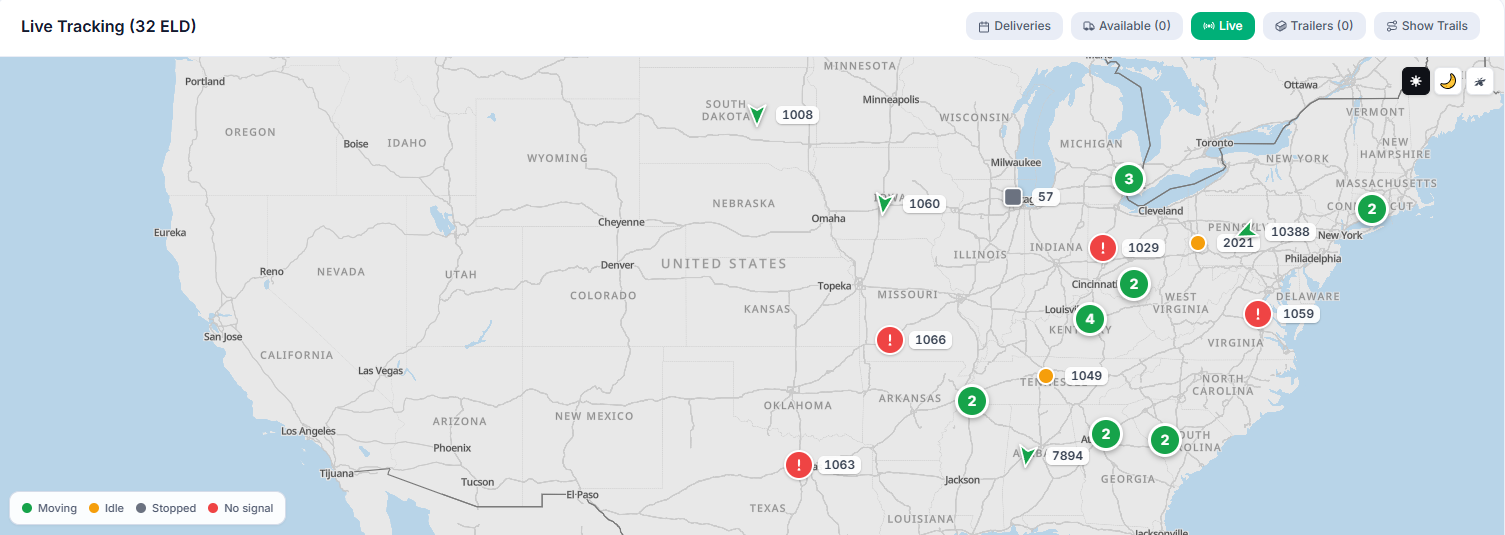
Bring your own ELD or GPS — whatever you already run. Every truck and trailer lands on the same live map, whichever provider it reports through. No tab-switching between vendor portals to answer a broker's check call.
- Integrates with all major ELD and GPS telematics providers
- Trucks and trailers on a single real-time dispatch map
- Trucks and trailers land on the same map, whatever provider they report through
- BYOC: connect the telematics account you already pay for
Out-of-route and detention catch themselves
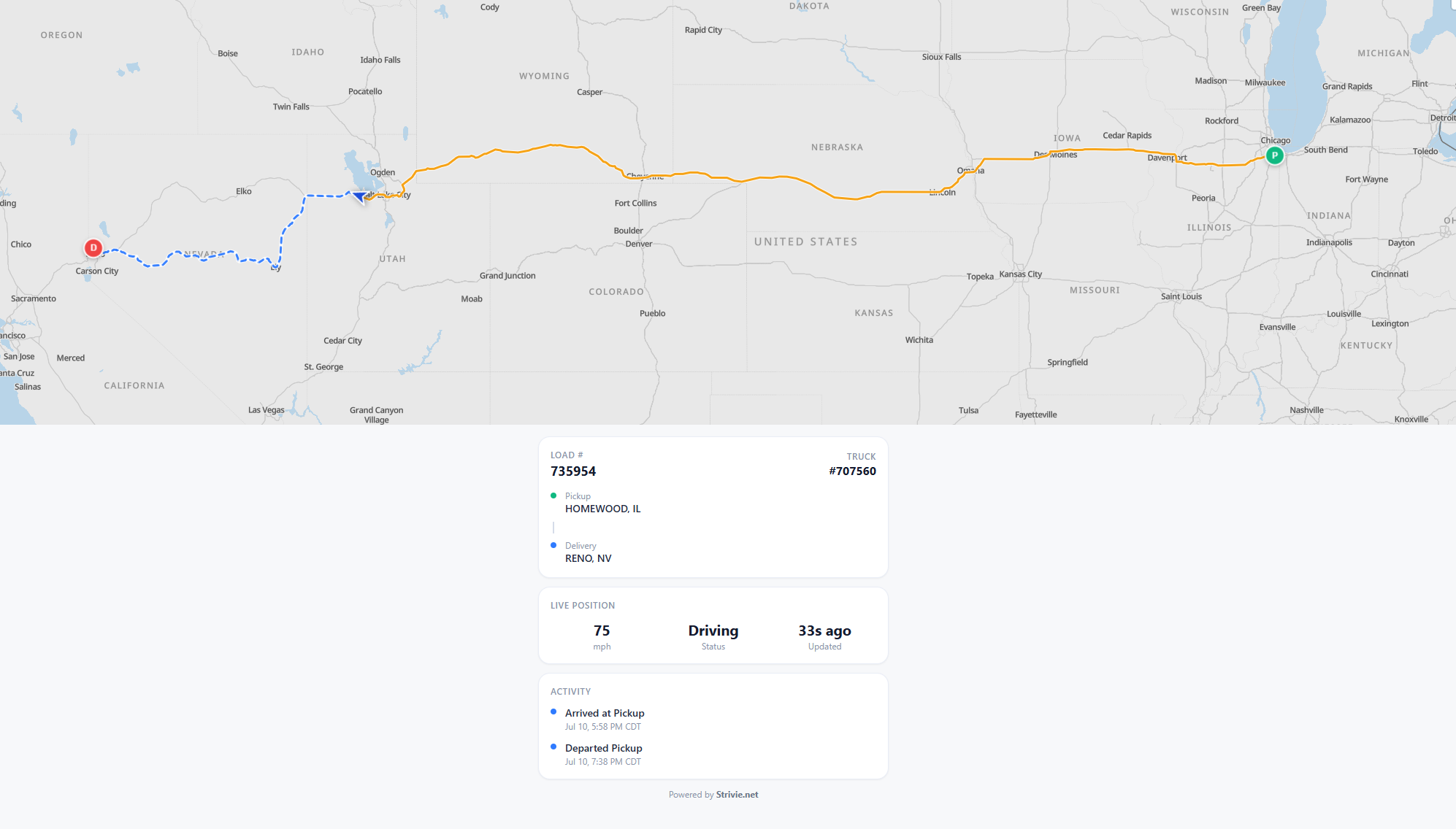
The system watches the lane so you don't have to stare at the map. When a truck drifts off its planned route, dispatch gets flagged. When GPS sees the truck arrive at the consignee, the detention clock starts itself and logs the minutes for billing.
- Out-of-route alert when a truck leaves its planned lane
- Detention timer starts on GPS arrival at the consignee
- Detained minutes captured for accessorial billing, not lost
- One live map answers broker check calls without hopping vendor portals
An afterhours board built for the night dispatcher
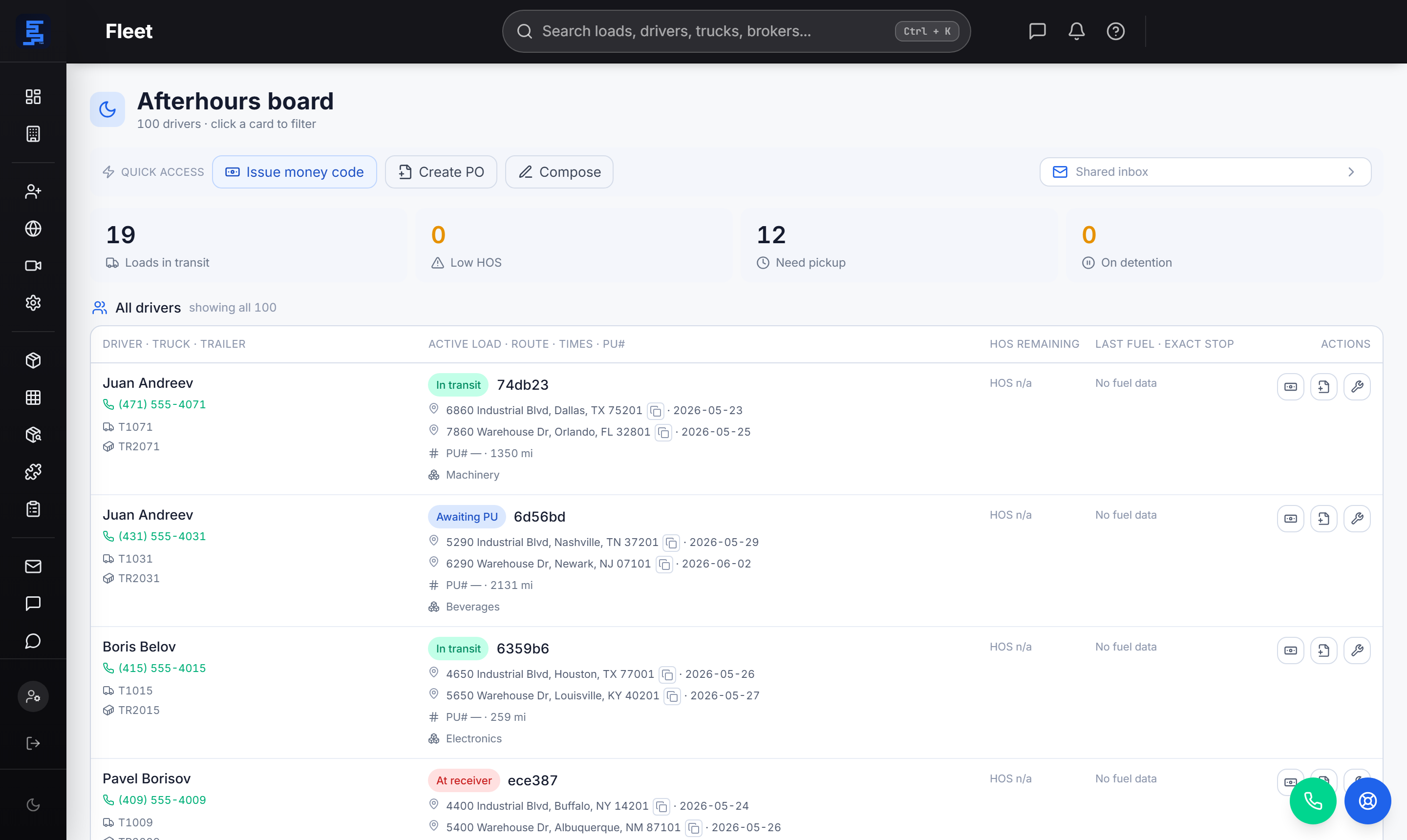
The night-desk board shows every active driver with their drive, shift, and cycle HOS clocks and current duty status. A stale clock gets flagged, the driver's number is one click to dial, and dispatcher notes sit right on the load. The night shift starts informed.
- Drive, shift, and cycle hours-of-service clocks per driver
- Current duty status with a flag when a clock goes stale
- Click-to-dial phone number on every driver
- Dispatcher notes shown right on the load
Fuel planning and driver comms in the same system
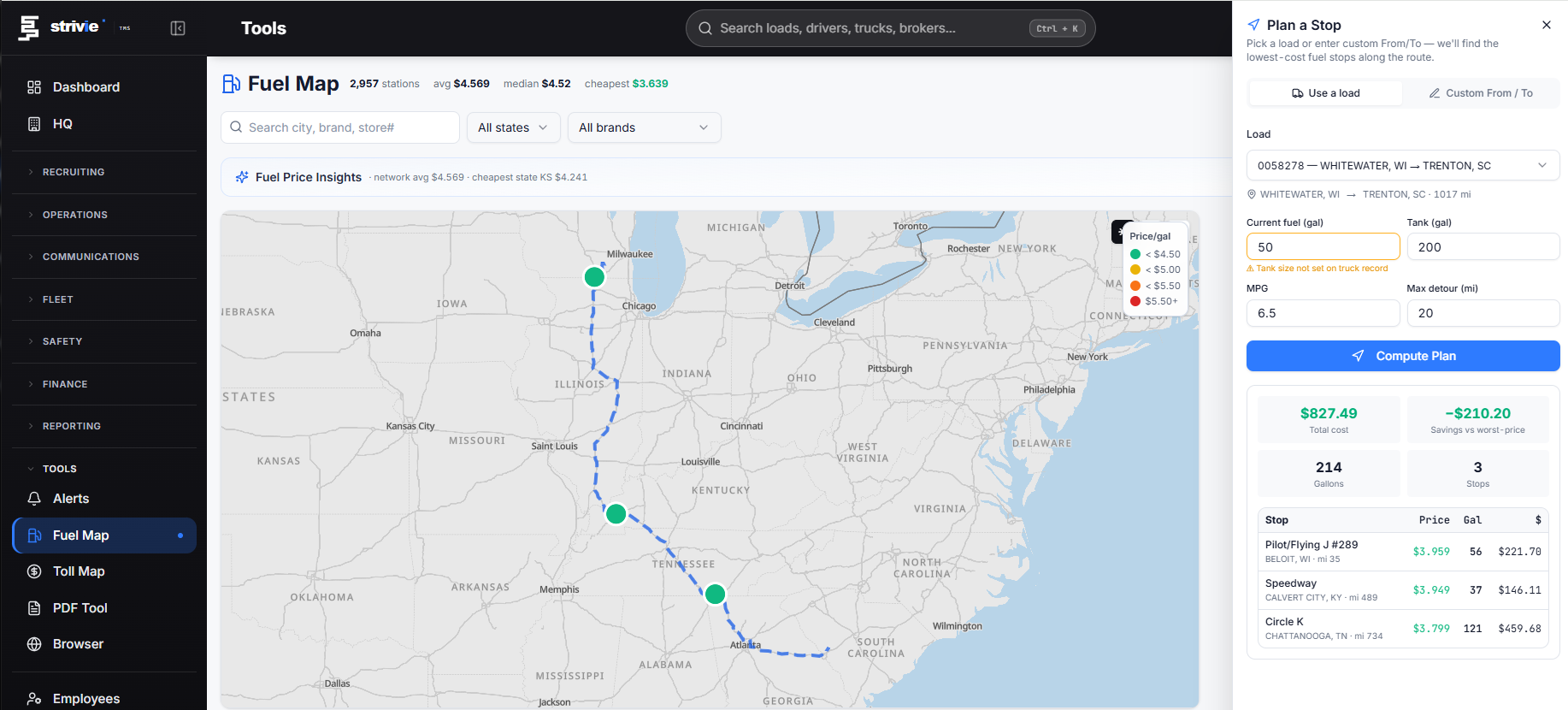
Dispatch doesn't end at the assignment. The fuel plan names real stops by station and street address, holds back enough fuel to start the next load, and recomputes when prices move or the load gets reassigned. Drivers and the office talk in one place.
- Fuel plan names actual stations by name and street address
- Holds back fuel to start the next load; a map colors stops by price
- In-app chat channels and direct messages between office and drivers
- Recomputes automatically when prices shift or a load is reassigned
Questions carriers ask
What is trucking dispatch software and how does it work?
Trucking dispatch software is the system a carrier or dispatcher uses to book loads, assign them to drivers, and track them from pickup to delivery. In Strivie, a broker's rate confirmation auto-drafts the load, live GPS from your ELD shows where the truck is, and events like out-of-route and detention flag themselves. You spend your time on the loads that need attention instead of retyping and re-checking every one.
What's the difference between dispatch software and a full TMS?
Dispatch software focuses on booking, assigning, and tracking loads. A transportation management system (TMS) covers the whole business: dispatch plus driver settlements, safety and FMCSA compliance, IFTA, billing and invoicing, maintenance, and recruiting. Strivie is a full TMS, so the same load that gets dispatched also feeds proof of delivery, invoicing, and the driver's settlement without moving to another tool.
Does it work for owner-operators, small fleets, and larger carriers?
Yes — from a single owner-operator up to a larger fleet. For owner-operators and small carriers, the rate-con auto-draft, one live map, and self-starting detention timer matter most when the same person is the dispatcher, the owner, and the after-hours desk. Larger operations turn on enterprise mode, which adds branch management for multi-terminal fleets — the same platform scales from one truck to a fleet with terminals.
Does it connect to my ELD and GPS for real-time load tracking?
It does, and you bring your own telematics account. Strivie integrates with all major ELD and GPS providers, so live positions flow onto a single real-time dispatch map — trucks and trailers included — with no new hardware to buy.
How do drivers receive dispatches and send back paperwork?
Drivers use the Strivie mobile app, with in-app chat channels and direct messages between the office and drivers, so dispatch conversations live in one place instead of scattered texts. Drivers snap PODs and other paperwork in the app, and in the billing workspace scans auto-crop to the page and convert to black-and-white, so the paperwork is clean for billing.
Can it handle IFTA, invoicing, and driver settlements too?
Yes. Beyond dispatch, Strivie runs driver settlements that draft themselves from delivered loads, IFTA fuel-tax reporting, and billing. Locked driver pay becomes vendor bills and billed loads become invoices in both QuickBooks Online and QuickBooks Desktop, and direct deposit exports as a Chase ACH CSV.
Does it capture detention and other accessorials for billing?
It does it automatically. GPS detects arrival at the consignee, so the detention timer starts on its own and the minutes are captured for billing rather than remembered after the fact. Accessorial and other charges flow into invoicing so you bill for the time you actually sat.
See the board run itself
Rate cons become loads, trucks land on one map, and the alerts you'd otherwise chase raise their own hand. Book a walkthrough and watch dispatch do the operational thinking.